Ryzen AI Max+ 395 vs PRO 495: choosing an A10A, and why OCuLink matters
Zeta42 · 5 November 2026
Which A10A to order, from the chip to the memory, and why its OCuLink port matters for training, data collection and robot simulation.
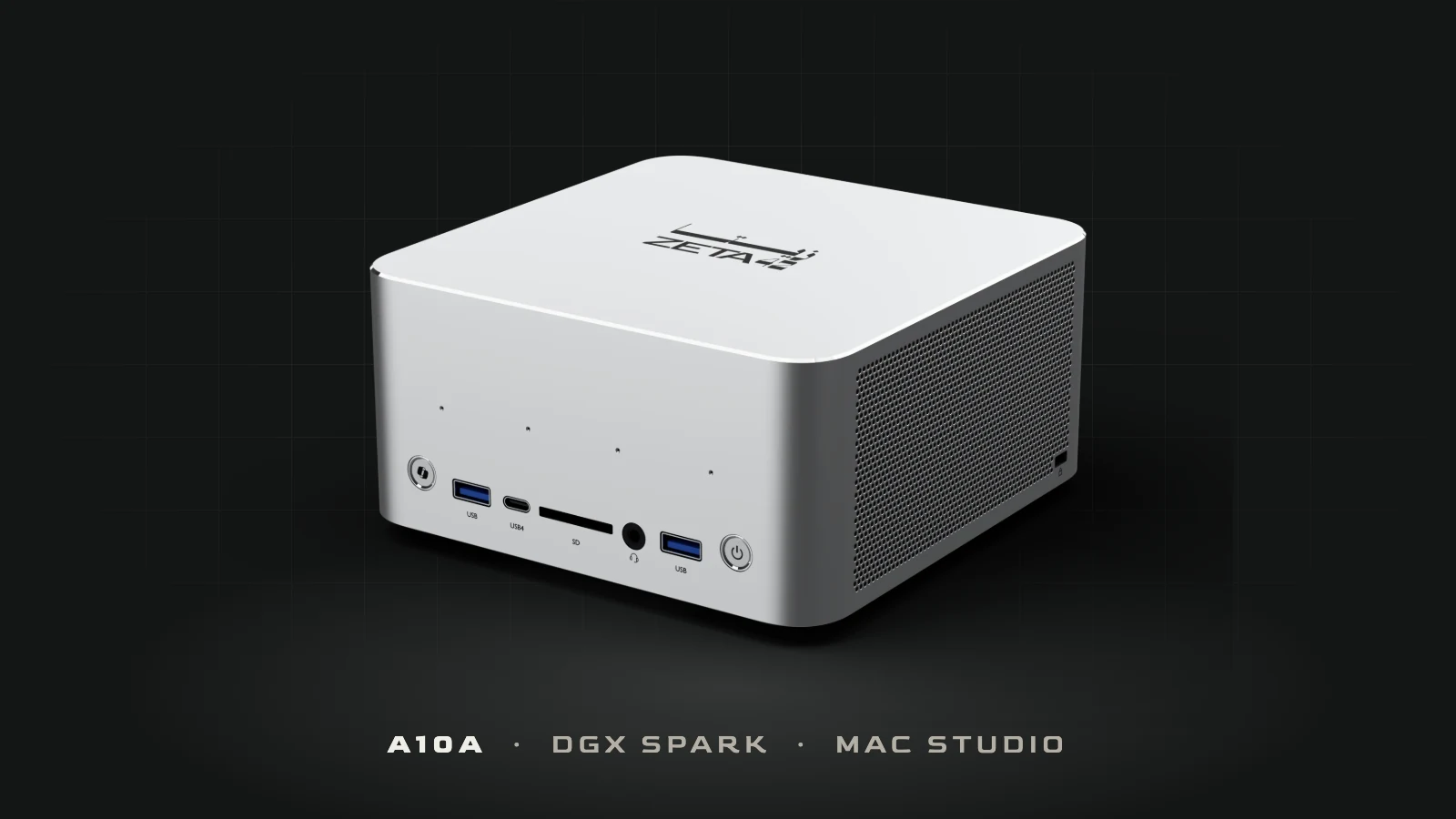
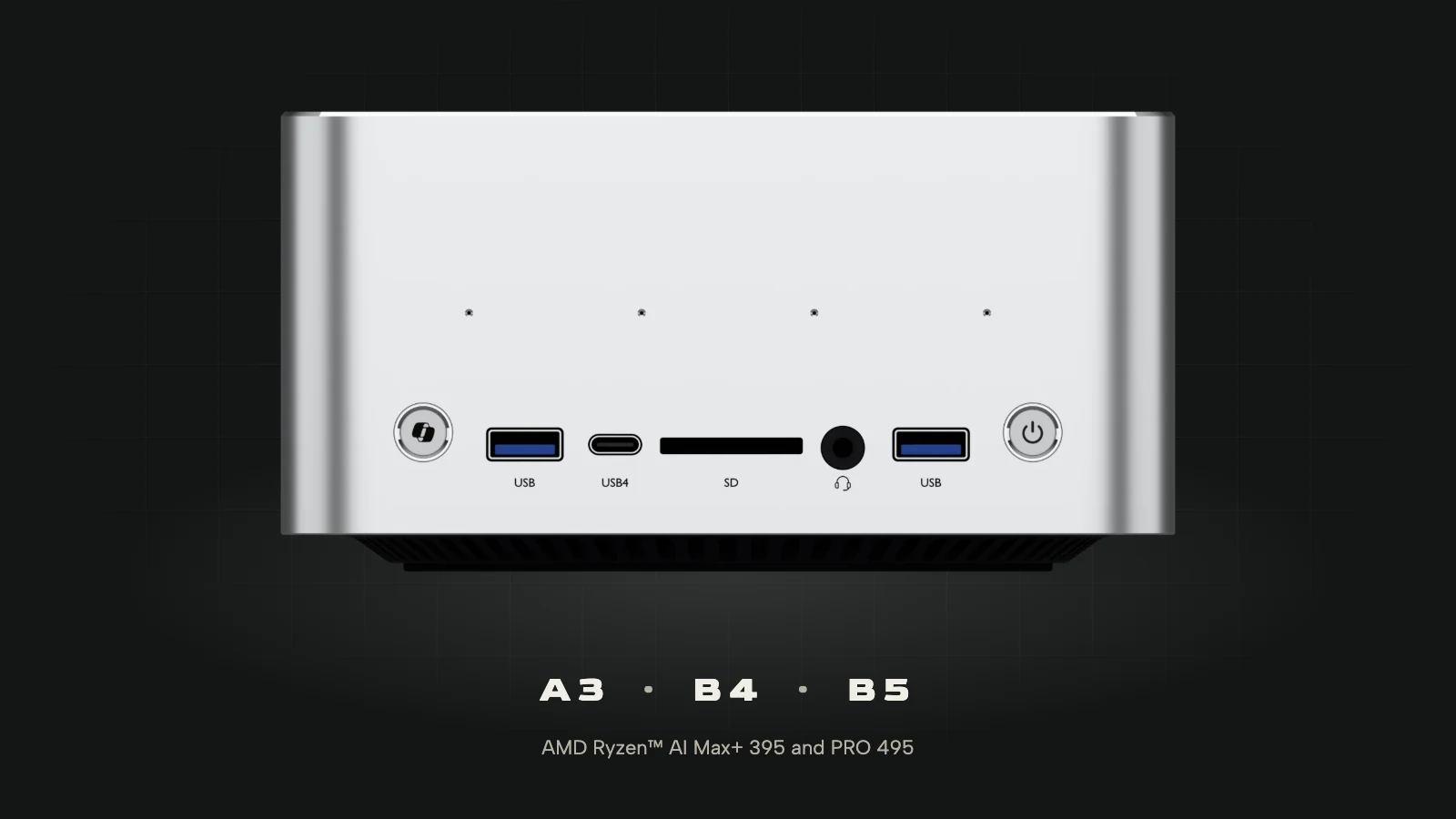
Ryzen AI Max+ 395 vs PRO 495 is the first choice to make when you order an A10A, and the second is memory: 128 GB or 192 GB. The A10A is the mini AI supercomputer Zeta42 sells in the UAE, a 2-litre machine that keeps a large language model in its own memory so a team can run it on site. This guide explains what each version suits, and why the OCuLink port on the back matters once you move from running models to training them, collecting data or simulating robots.
Ryzen AI Max+ 395 vs PRO 495: what changes
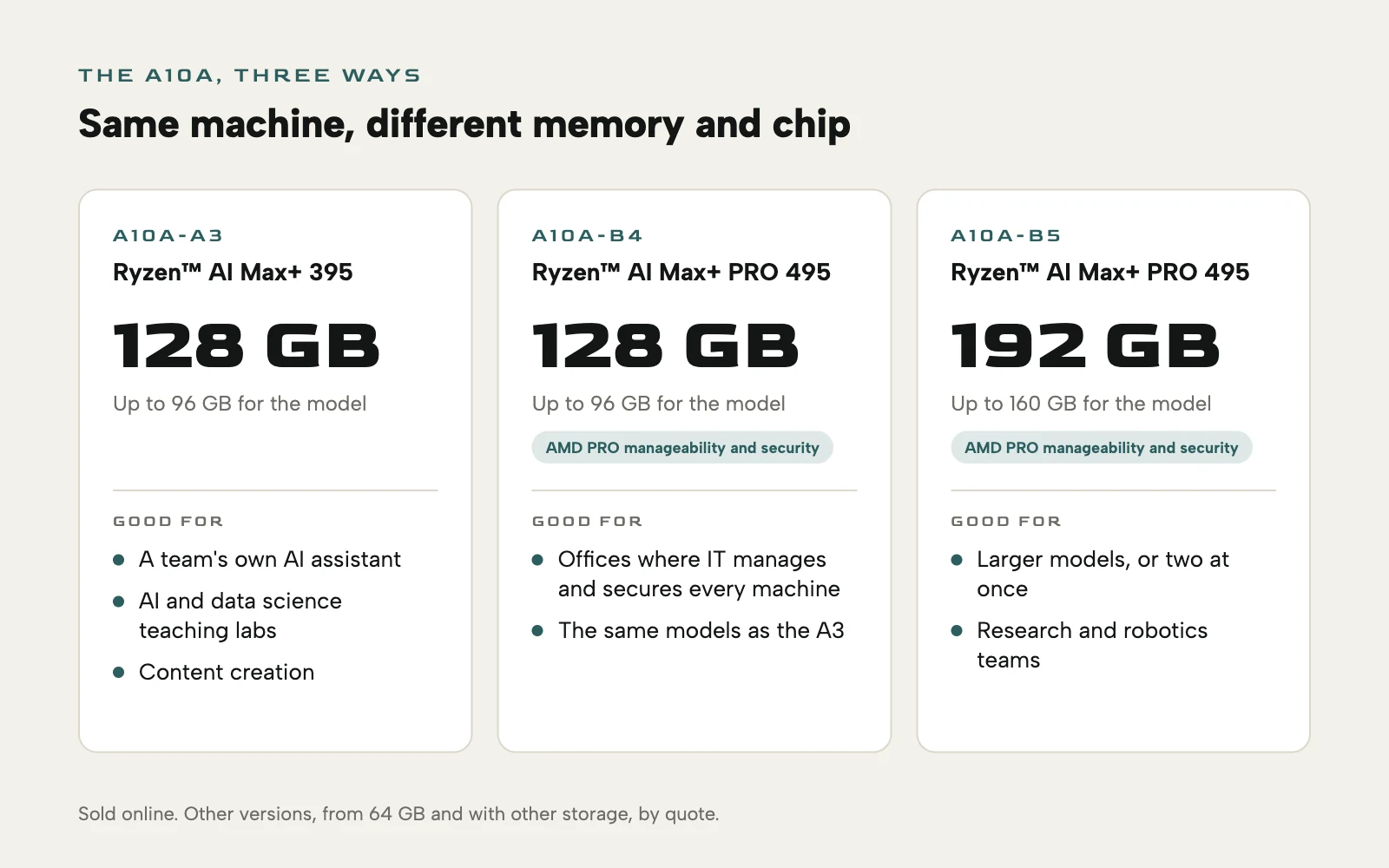
Both chips have 16 cores and 32 threads, Radeon graphics with 40 compute units, and an NPU for AI work. The 395 runs at 3.0 to 5.1 GHz with Radeon 8060S graphics. The PRO 495 runs at 3.1 to 5.2 GHz with Radeon 8065S graphics, and adds AMD PRO manageability and security, the features IT teams use to manage, update and lock down a fleet of business machines. It is also the only one of the two that comes with 192 GB.
In practice the chip decides whether the A10A fits your IT department's rules, and the memory decides which models it can run.
How much memory your models need
The A10A's memory is unified: the processor, the graphics and the NPU share one pool, and most of it can be given to the graphics, which is where a model runs. On a 128 GB A10A that is up to 96 GB; on the 192 GB B5, up to 160 GB.
A rough rule helps you size it. At 4-bit, a common way to run a model locally, its weights take about half a gigabyte per billion parameters, plus room for the conversation it is holding. So a model of around 120 billion parameters fits in the 96 GB of a 128 GB A10A, and the B5's 160 GB holds a larger model still, or two loaded at once, such as a chat model beside a coding model.
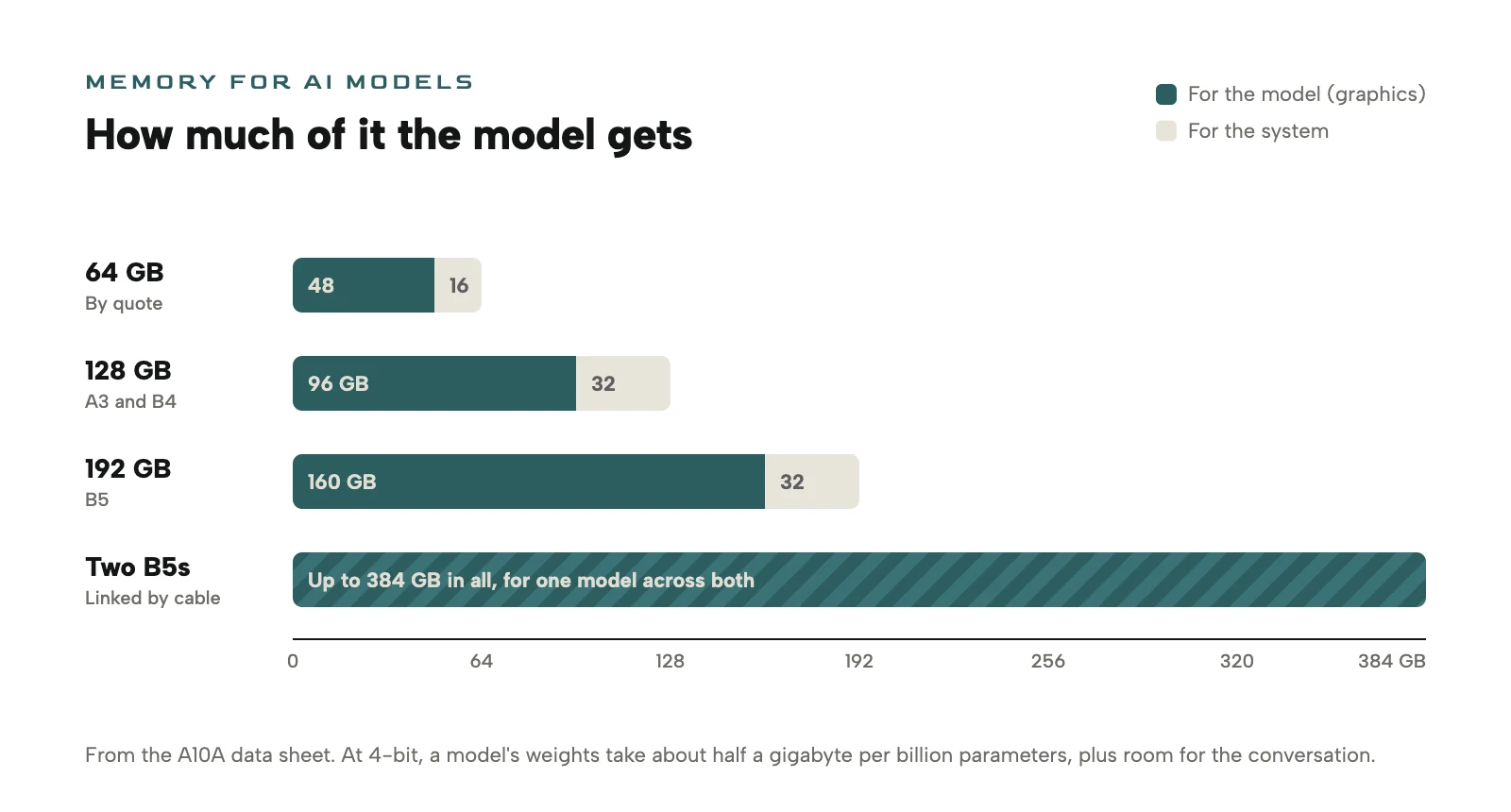
If one machine is not enough, two A10As can be linked by cable to run one model across both, for up to 384 GB of memory in all.
Which A10A for which job
- A3, for a team's own AI assistant. A chat or coding assistant that answers from your documents without sending them out of the building, an AI and data science teaching lab, or content creation. AED 15,299.
- B4, for offices run by IT. The same 128 GB with the PRO 495's manageability and security, for organisations that manage and secure every machine centrally. AED 19,399.
- B5, for bigger models and robotics work. 192 GB for a larger model or two at once, for research groups, and for robotics and simulation development. AED 31,499.
- 64 GB versions, by quote, for smaller models and classroom seats, with other storage options.
Prices include 5% VAT and free delivery in the UAE, and delivery takes about 6 weeks from the order. Every version has two NVMe slots for up to 8 TB, two USB4 ports at 40 Gbps, up to four displays, two 2.5 GbE ports, Wi-Fi 7, stereo speakers and four microphones.
Why OCuLink matters
The A10A is built to hold large models and answer from them. Training is a different job: it keeps the graphics working flat out for hours or days, and a desktop graphics card is the right tool for it.
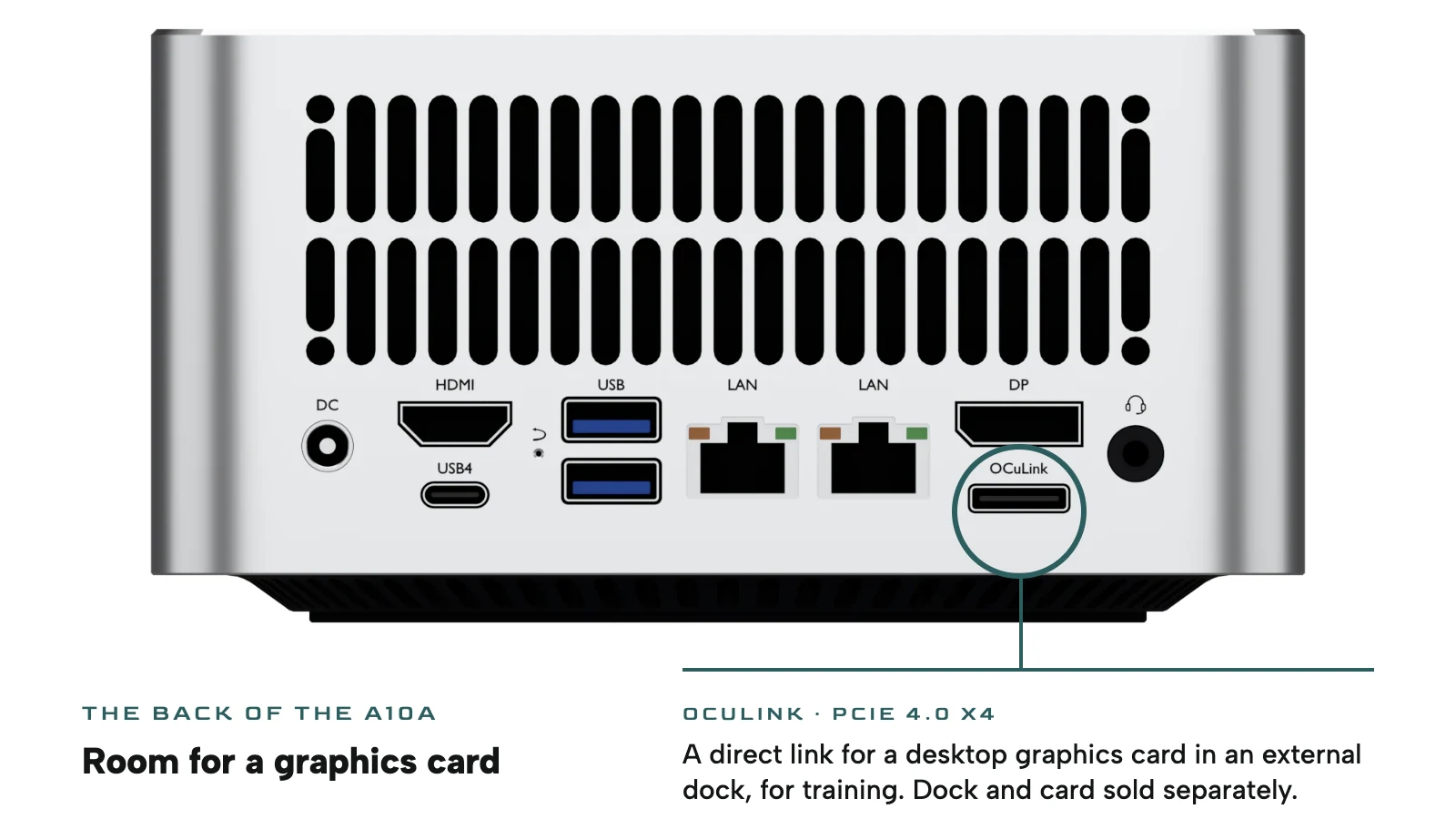
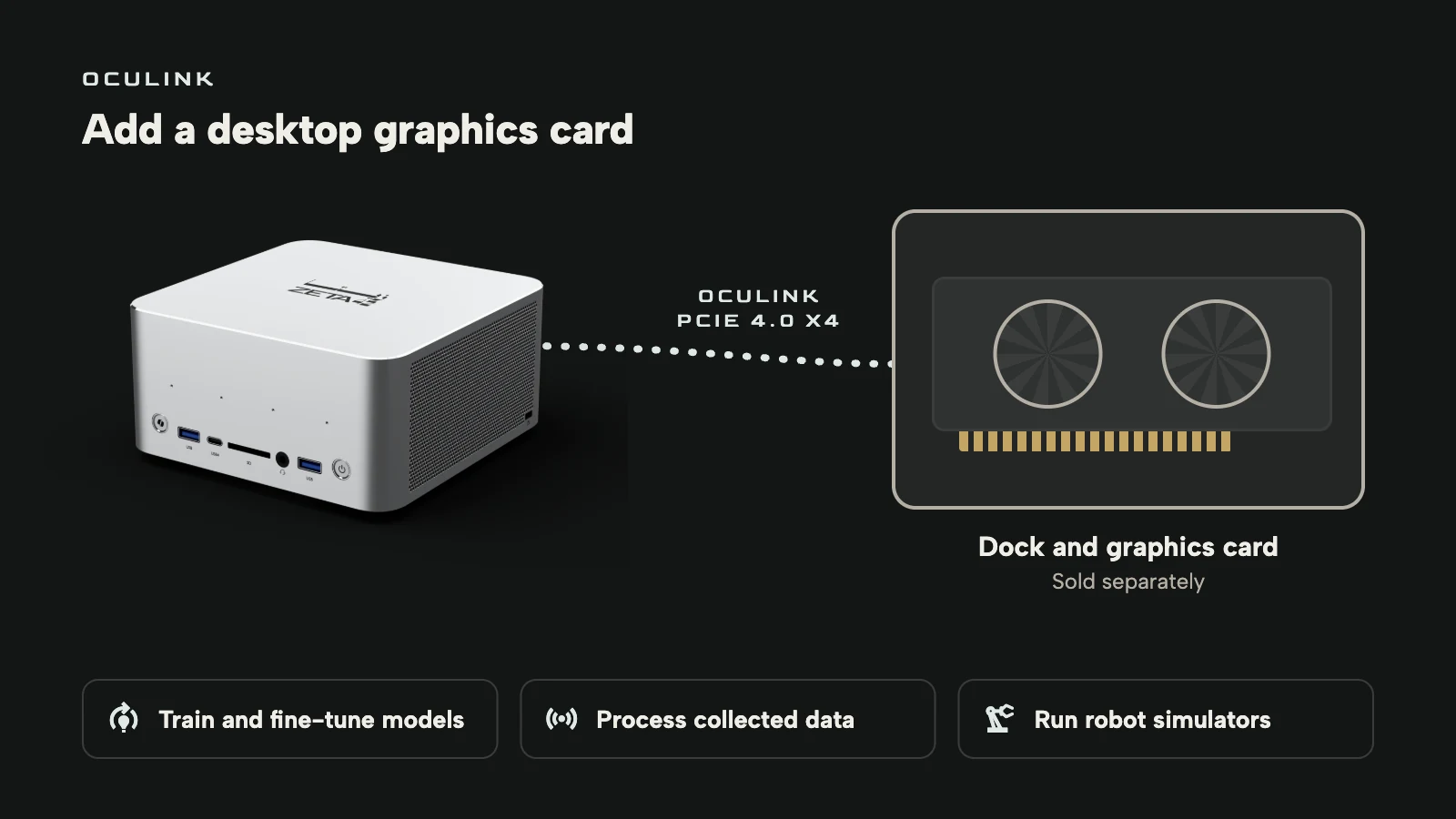
OCuLink is a cable connection for PCIe, the same kind of link a graphics card uses inside a desktop. The A10A's port, on the back, is PCIe 4.0 x4. Connect an OCuLink dock with a desktop graphics card in it, and the card sits on a direct PCIe link with no USB4 conversion in between. The A10A keeps its own memory for the models it serves, and the card takes the heavy work. The dock and the card are sold separately.
Training and fine-tuning
Fine-tuning a model on your own documents, or training a vision model to spot defects on a production line, is work a desktop card does well. With an NVIDIA card, the usual CUDA tools run on it. While the card trains, the A10A can go on serving the large model your team uses every day from its own memory.
Data collection
A robot learning a task, or a set of cameras on a factory floor, records hours of video and sensor data. The A10A takes those streams in over USB4, its network ports and Wi-Fi 7, and stores them on its NVMe drives. A card on OCuLink does the heavy part: decoding the video, labelling frames with a vision model and training on what was collected. The recordings stay on site, which matters when they show people, products or a production line.
Robot simulation
Robot software is tested in simulation before it moves a real arm. A simulator runs the physics and renders what the robot's cameras would see, which is graphics work, and some simulators are written only for NVIDIA graphics. With an NVIDIA card on OCuLink, the A10A can run those; simulators that work on any graphics run on its own Radeon. Robotics and simulation development is one of the uses the A10A's data sheet lists.
Set up and supported in the UAE
The A10A runs Windows 11 64-bit, with Ubuntu and RHEL supported, and the pre-installed system is confirmed when you order. It comes with a one-year warranty and a year of technical support from Zeta42. On request we install it, set up local LLM runtimes and ROCm, AMD's software for running AI on its graphics, and train the people who will use it, as part of the AI infrastructure we build for organisations. You can compare the versions and pre-order on the A10A page.
AMD, Ryzen and Radeon are trademarks of Advanced Micro Devices, Inc.; NVIDIA and CUDA are trademarks of NVIDIA Corporation. Zeta42 is not affiliated with either.
Common questions
- What is the difference between the Ryzen AI Max+ 395 and PRO 495?
- Both have 16 cores, 32 threads and Radeon graphics with 40 compute units. The PRO 495 runs at 3.1 to 5.2 GHz rather than 3.0 to 5.1 GHz, adds AMD PRO manageability and security, and is the only one offered with 192 GB of memory.
- How much memory do I need to run an LLM locally?
- At 4-bit, a model's weights take about half a gigabyte per billion parameters, plus room for the conversation. A 128 GB A10A gives up to 96 GB to the model, enough for around 120 billion parameters; the 192 GB B5 gives up to 160 GB.
- What can I connect to the A10A's OCuLink port?
- An OCuLink dock holding a desktop graphics card, on a direct PCIe 4.0 x4 link. It is for training and fine-tuning, processing the data you collect and running simulators that need a separate card. The dock and the card are sold separately.
Source: zeta42.com