Kids and teens
Never a toy version of the next thing.
Age 3 to Grade 12. Ten-week weekend terms and four-week camps. Explorers, Builders, Innovators. Badges, a portfolio and a showcase at the end.
No screen until Grade 3.
At a glance
- Age 3 to Grade 12
- Who it is for
- 4:1
- Students per mentor
- 10 weeks
- Weekend terms
- 4 weeks
- Camps
- Everything
- Provided
The ladder
How it steps up.
Ages 3 to 8. Coding with blocks and floor robots.
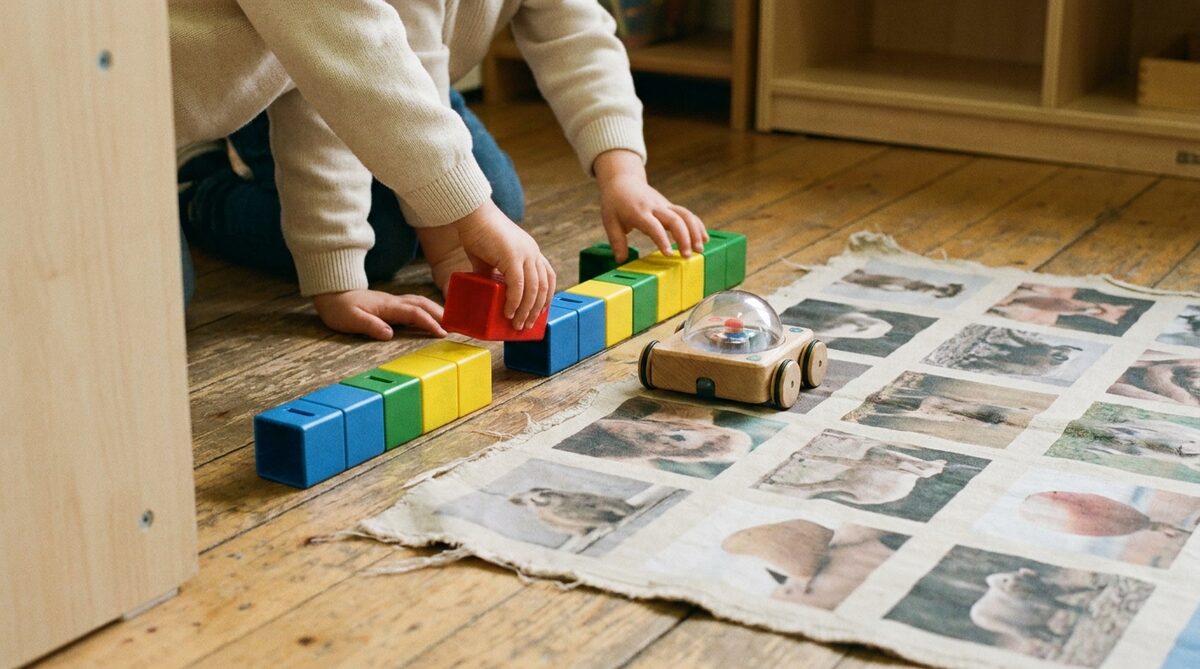
Children place real blocks in a row to program a robot, then drive a floor robot across maps for reading, maths and science. No screen and no reading needed.
Ages 8 to 12. Sensors, cameras and first Python.
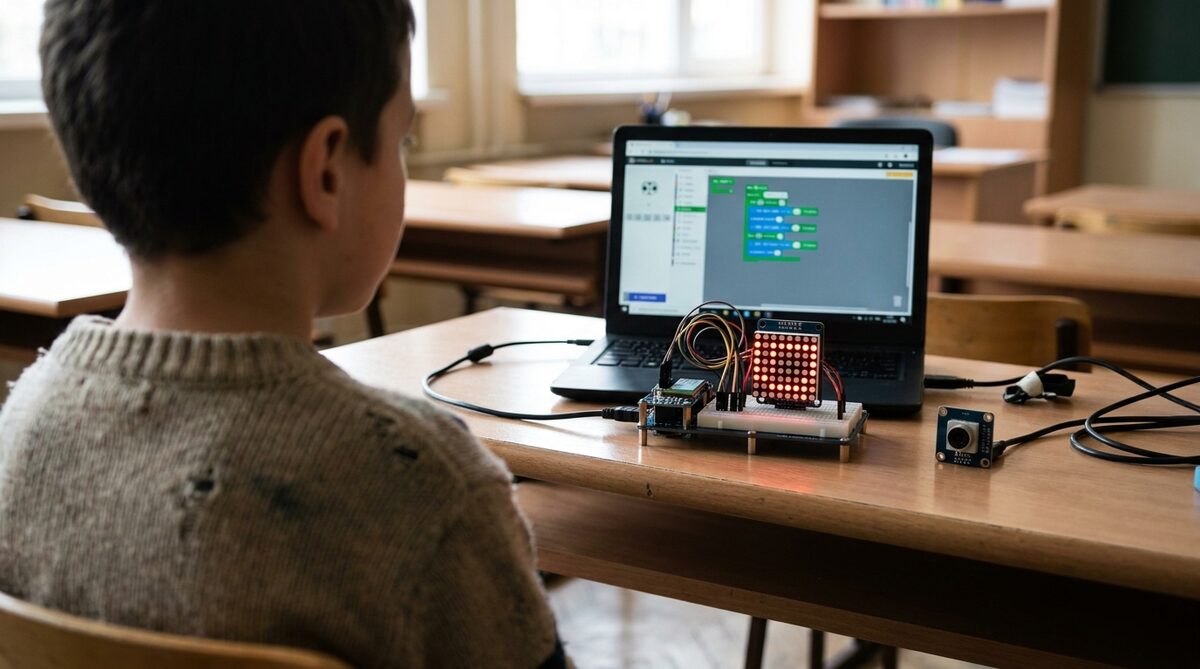
The move from blocks to code on screen. Sensors, an LED matrix, and a camera that spots faces, colours and tags.
Grades 6 to 9. AI kits and real robot arms.
Machine learning, speech and self-driving on a modular kit. Then a real four-axis desktop arm with a conveyor, a rail and a camera.
Grades 10 to 12. Six-axis cobots and machine vision.
Python, pick and place, grippers, vision and mini assembly lines on a real six-axis cobot. Factory skills at classroom size.
No screen until Grade 3
Coding before reading.
The first stage has no screen in it. A child lays blocks out on the table, presses go, and the robot does what the blocks say. Nothing needs a tablet, a login or a password. Each command is an object the child can hold, and to fix a mistake they pick a block up and put it somewhere else, which is what fixing code is.
In the early grades the same blocks and the same robot gain sensors, so a child meets if this, then that before they ever meet a screen. By the time the screen arrives in Grade 3 they have met order, repeats, conditions and debugging, so it is a change of tool rather than a new subject.
Buttons on the robot
A child presses them. Nothing else to set up.
The mat is the lesson
The same robot, a different subject each week.
Two children to a robot
Taking turns and explaining yourself come with the activity, not on top of it.
No screens, no logins and no AI chatbot anywhere in the first stage. A four-year-old can run it on their own after one lesson, which is the test the stage has to pass.
Three cycles
Explorers, Builders, Innovators.
One programme per UAE school cycle, each running as term-based cohorts. The five strands repeat every cycle at greater depth: Explore, then Build, then Innovate. Credentials are earned through badges, a portfolio, and a showcase. No exams.
 Cycle 1
C1 Explorers
Grades 1 to 5
PLAY & DISCOVERY10-week play-first exploration of AI, coding, creativity, safety, and ideas for young learners.
View Curriculum Cycle 2
C2 Builders
Grades 6 to 9
BUILD & CREATEMove from playing to building real projects: code, create, and pitch with AI as a tool.
View Curriculum Cycle 3
C3 Innovators
Grades 10 to 12
INNOVATE & LAUNCHTeens build real AI tools, code, creative portfolios, and launch an MVP, all with ethics at the core.
View CurriculumCamps
The same three cycles, in four weeks.
The same three cycles, condensed into a four-week intensive. Students build and ship a real project, then present it at the end-of-camp showcase. No prior experience needed.
C1 Explorers
4-WEEK CAMP4-week camp where 6–11s direct an AI buddy to build a real game and app, ending in a Family Showcase.
View CurriculumGrades 6 to 9C2 Builders
4-WEEK CAMP4-week camp where 11–14s write real code with AI and publish a shareable app or game with an AI feature.
View CurriculumGrades 10 to 12C3 Innovators
4-WEEK CAMP4-week camp where 15–18s orchestrate an AI coding agent to engineer, deploy, and demo a real application.
View CurriculumBeyond the term
Real audiences, real recognition.
Learning comes alive when it's shared. Our events give students real audiences and real recognition: from friendly in-house Demo Days to inter-school AI competitions.
Code Quest
AI-themed puzzles, logic challenges, and treasure-hunt style problem solving, tackled together in friendly teams.
Mini Hackathons
Teams pick a theme, then design, build, and pitch their own AI project, with mentors helping every step of the way.
Game Jams
Students design, code, and playtest their own AI-powered games, then share them with friends and family.
Robotics Challenges
Build and program robots for friendly challenges like maze-solving and obstacle courses.
Badges
Five tiers, one ladder.
Every milestone earns recognition. Badges are cumulative: students carry them across cycles and years, building a visible record of growth from first code to competition champion.
- 01
Explorer
First strand badges: early wins in AI literacy and making.
- 02
Builder
Building real projects: code, robotics, and creative AI.
- 03
Creator
Independent projects across the five strands.
- 04
Innovator
A venture or capstone, presented at the showcase.
- 05
Champion
Multi-cycle graduate or competition winner: peak recognition.
What we bring
Everything provided.
We believe logistics should never hinder genius. Our 'Everything Provided' philosophy ensures students focus purely on creation.
Laptops & Robotics Kits
Every student gets a workstation. Younger cycles get LEGO Spike or mBot kits. Older cycles get high-performance laptops.
AI Tools & Software
Supervised, age-appropriate access to tools like ChatGPT, Claude, Teachable Machine, and beginner-friendly Python.
Snacks & Materials
Every term includes printed workbooks, all craft/making materials, and light refreshments.
Who teaches
Small classes, checked mentors.
A nurturing, well-supervised environment is our first priority. Parents can reach us any time with questions about their child's progress.
Small Classes
A 4:1 student-to-mentor ratio means every child gets personal attention and support.
Qualified Instructors
All instructors are background-checked and trained in child safeguarding.
Always Supervised
Sessions are fully supervised, with screen-time and online access age-appropriate and monitored throughout.
Questions
What parents ask.
Is it screen-free?+
For the youngest, completely. Children program a robot by placing physical blocks in a row and pressing go. No tablet, no login, no chatbot. Screens arrive in Grade 3, when the child has already learned to sequence, repeat, set a condition and find a mistake.
Does a weekend term add to my child's screen time?+
Not for the youngest. The first stage is built on the floor and the table, not on a device. Older children use screens for coding and AI work in the room, with a mentor, for a purpose, and take nothing home to finish on a screen.
How big are the classes?+
Four students per mentor, so every child is known by the person teaching them.
Does my child need their own laptop or kit?+
No. Laptops, robotics kits, AI tools, accounts, workbooks and materials are all provided.
What does a child leave with?+
Badges across the five strands, a portfolio of what they built, and a showcase where they present it. No exams.
How do I know which cycle fits?+
Describe the child rather than the age. Send a line to [email protected] or WhatsApp +971 58 587 8942 and we will place them after a short conversation.
Booking