Custom systems
One system that fits, instead of forty spreadsheets.
ERPs, internal tools and cloud migrations. The operating backbone of the business, replacing spreadsheets and disconnected tools with one system that fits.
How it starts
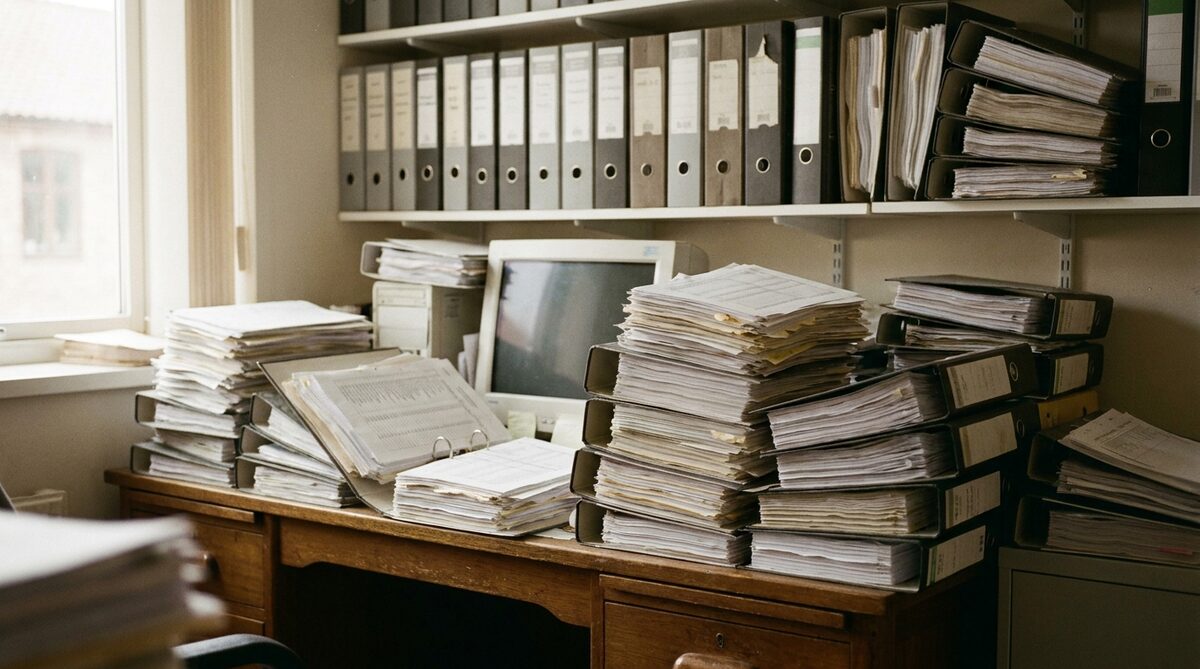
It grew. Nobody built it.
Nobody decides to run a company on spreadsheets. A file gets made for one job, then another, and after a few years the business runs on forty of them, connected by one person who knows which cell not to touch. When that person is on leave, the business slows down.
A bespoke system replaces that with one place where the work happens. Projects, procurement, billing, payroll, compliance, whatever the operation actually consists of, in one system built to the shape of the business rather than the other way round.
Three kinds
ERPs, internal tools and migrations.
Bespoke ERPs
The operating backbone. Modules for each part of the business, one database, one set of numbers. Built in the order the business needs them, starting with the part that hurts most.
Internal tools
The one job that a spreadsheet is doing badly. An approvals queue, a site diary, a quotation builder, a fleet log. Small, fast to ship, and built on the same map so it joins the ERP later.
Cloud migrations
Moving an operation off files and desktop tools onto a cloud system the whole firm can reach. Access control, backups and audit built in from the start.
What was replaced
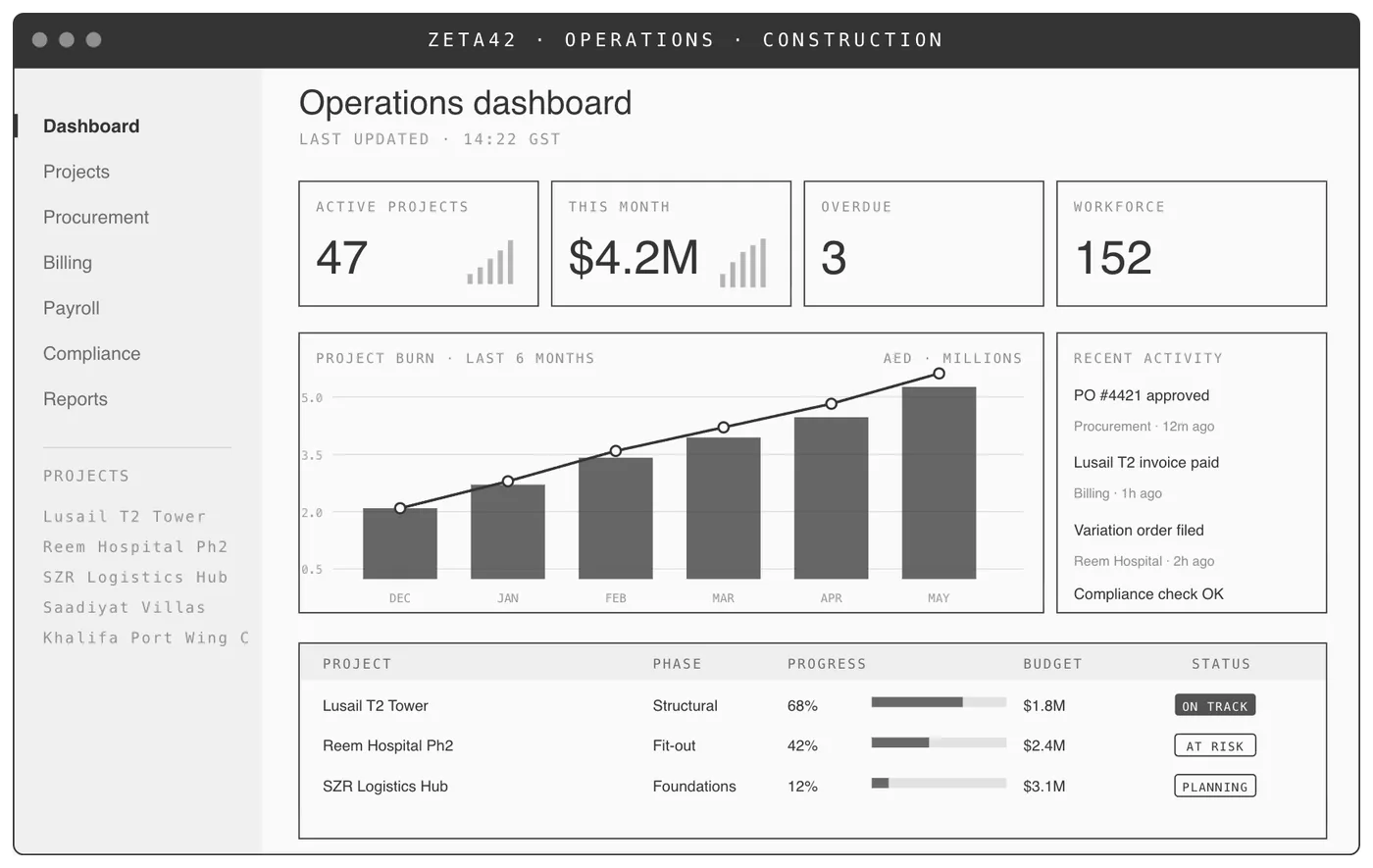
A 35-module ERP, used daily by the whole business.
Construction
Project tracking, procurement, billing, payroll and compliance: one operating system, one source of truth. Replaced 40+ spreadsheets and three off-the-shelf tools. 150+ daily users.
IT services
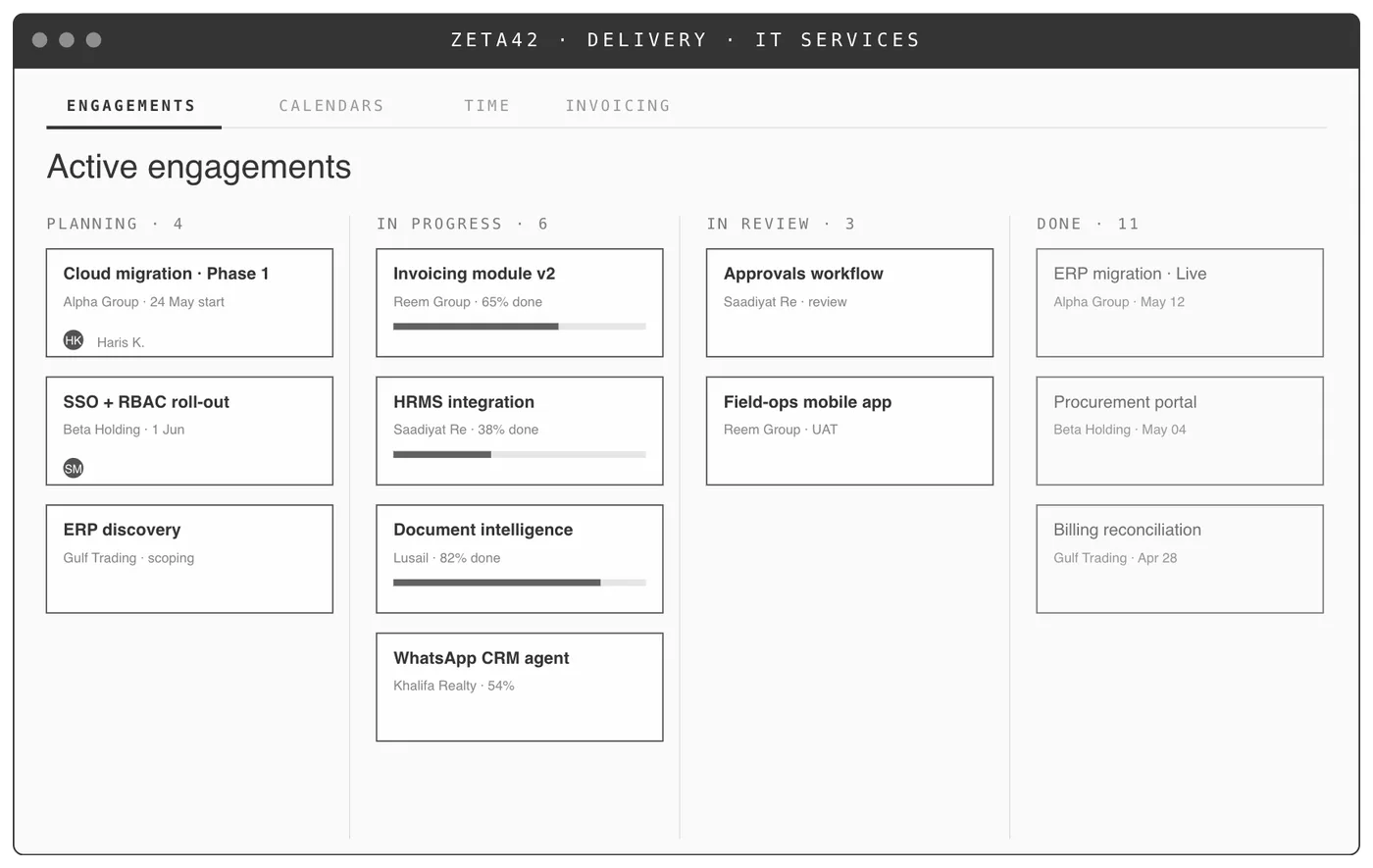
A migration from a maze of Excel files to a single cloud ERP, built for how the firm actually delivers work. Kanban engagement view, calendars, time and invoicing in one place.
Sector-only references. Named clients are disclosed in conversation.
Stack
Boring where it should be.
TypeScript and React on the front. Python where there is data work to do. AWS, Azure or Google Cloud, or your own servers if the data must stay in the building. Standard tools that any competent team can maintain, chosen so the system does not depend on us being the only people who understand it.
How it runs
Four steps, same shape every time.
- 01
Watch
We work from your office. No code until we've watched the operation run.
- 02
Map
One shared picture of how your business actually runs. Signed off by the owner.
- 03
Build
Working software on your real data. Scoped end to end. Not a slide, not a demo.
- 04
Run
We stay and run it, then build the next system on the same map.
Questions
What buyers ask.
Do we have to replace everything at once?+
No. The first build is one workflow. The second is built on the same map. A business that starts with procurement and adds billing a quarter later has one system, not two, because both were designed from the same picture of the operation.
What happens to our existing data?+
It moves. Migration from spreadsheets and legacy tools is part of the build, and the mess in that data is treated as a requirement rather than a surprise.
Do you resell an off-the-shelf ERP?+
No. No reseller deals, and no boxed ERP forced onto an operation. Where a tool you already pay for fits, we integrate it rather than replace it.
Bring the spreadsheet you are most afraid of. That is usually where the first build is.